
Accuracy
Up to 99.999% detection accuracy across supported entity types, combining AI model recognition with pattern-based rules.
Pricing
Starting at $0.10 per million tokens processed. Only detected and transformed tokens count toward usage.
- Detection — identify sensitive entities across your data, combining AI model recognition with pattern-based rules
- Anonymization (redaction) — replace detected entities with mask tokens to remove sensitive information
- Personal — First name, last name, date of birth, dates, age, gender, nationality, race/ethnicity, marital status
- Contact — Email, phone number, street address, postal/ZIP code, city, state, country
- Financial — SSN, credit/debit card, bank routing number, routing number, tax ID, IBAN
- Digital — IP address, URL, username, password, MAC address, device identifier
- Identity Documents — Passport number, license/certificate number, national ID, voter ID
- Medical / PHI — Medical record number, diagnosis, medication, health plan number, patient ID, lab result
- Professional — Company name, occupation, employee ID, salary
Creating a job
Step 1: Select dataset
Choose a seed dataset from your library as the input for the job.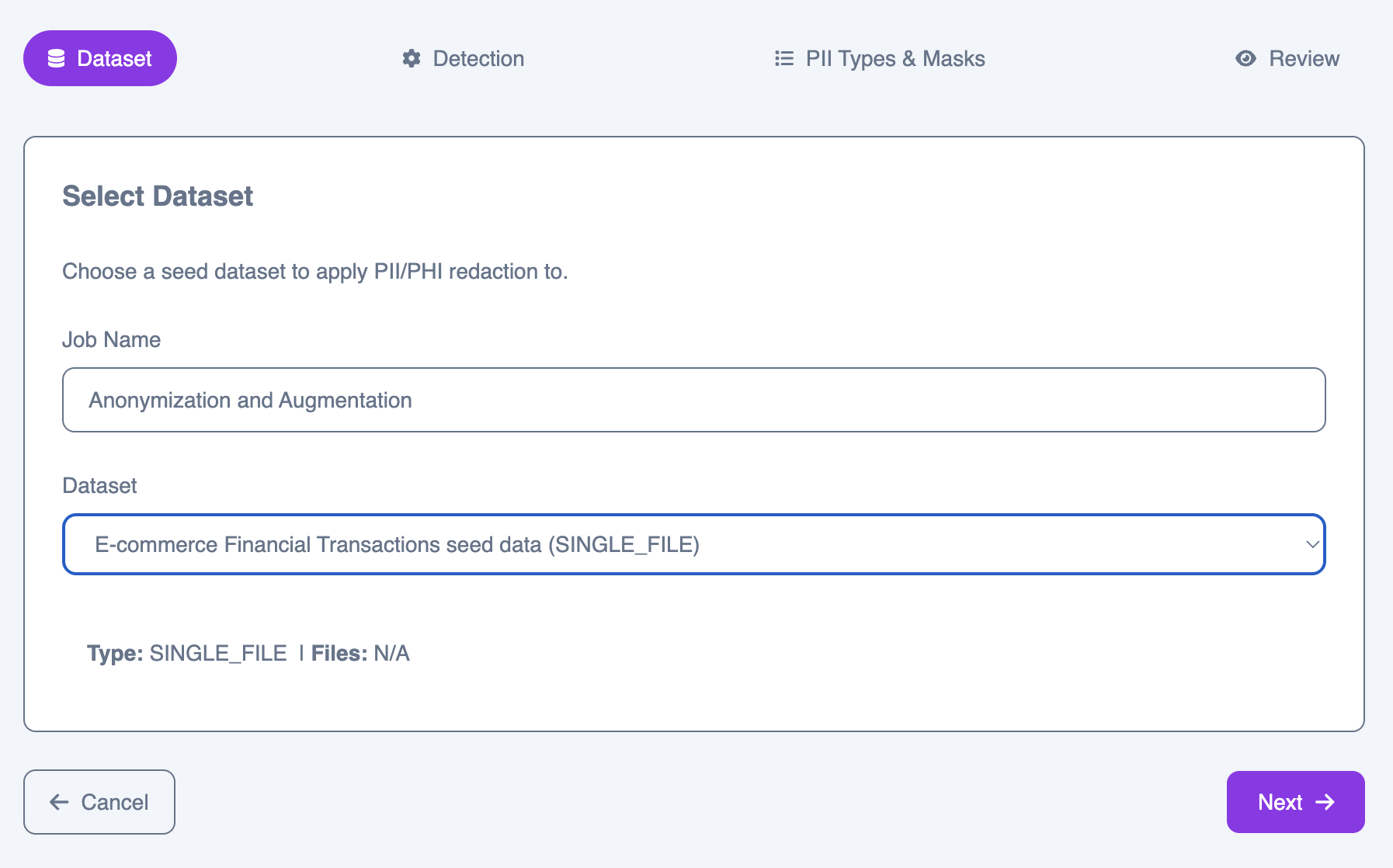
Step 2: Detection configuration
Configure how sensitive entities are detected and which model evaluates the results.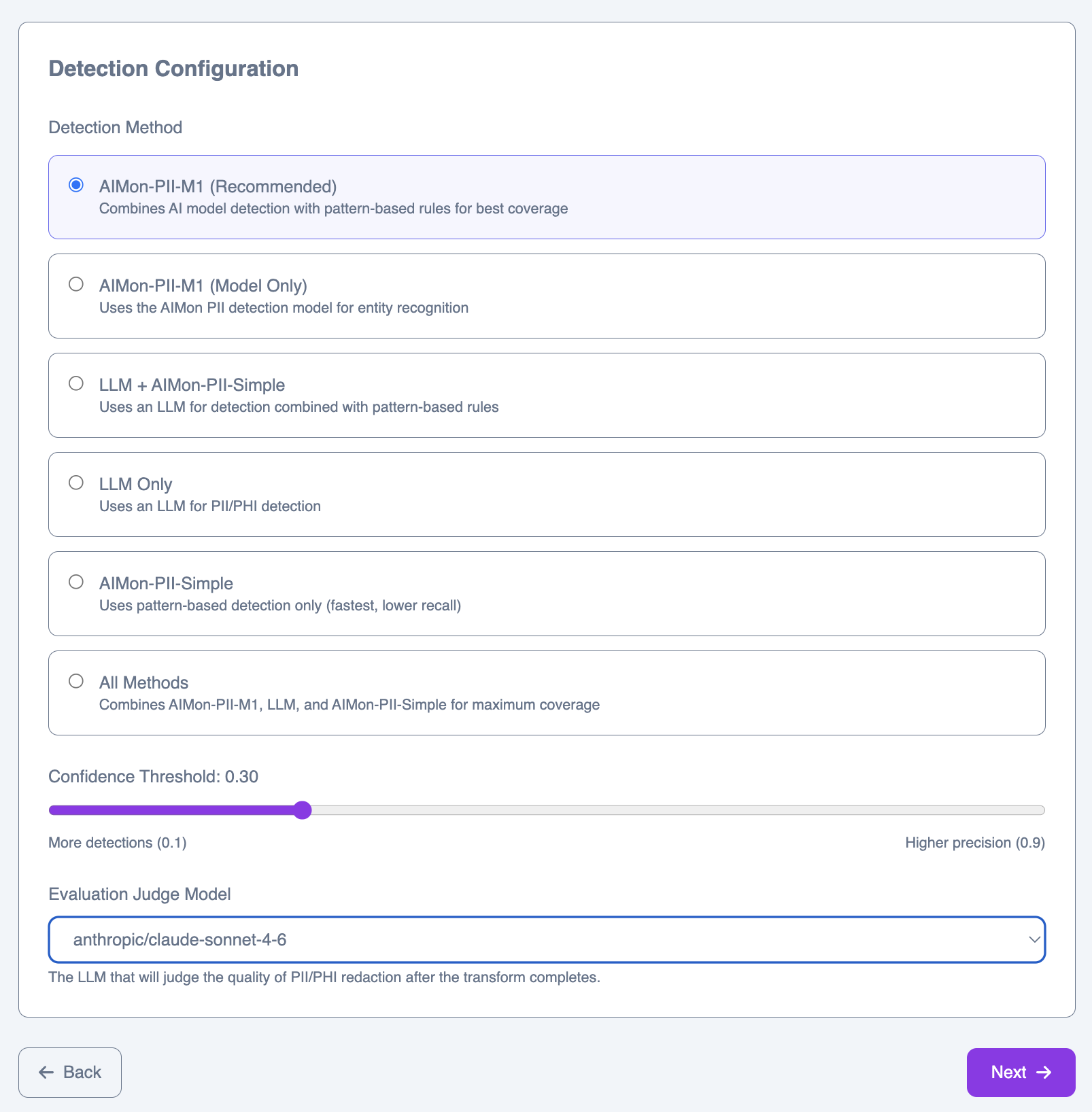
Detection methods
PII-M1 (Recommended)
PII-M1 (Recommended)
Uses the PII-M1 detection model exclusively, relying on learned entity recognition without rule-based augmentation.
LLM Only
LLM Only
Delegates all detection to an LLM. The most flexible option for unusual or domain-specific entity types.
All Methods
All Methods
Combines PII-M1, LLM, and Heuristics in a union. Best for maximum coverage when false negatives are unacceptable.
Confidence threshold
The confidence threshold controls the trade-off between recall and precision. Lower values (e.g., 0.1) produce more detections with more potential false positives. Higher values (e.g., 0.9) produce fewer detections but with higher certainty. The default of 0.30 works well for most datasets.Evaluation judge model
After the job completes, an LLM evaluates the quality of the results. Select the model to use for this evaluation.Step 3: Entity types & masks
Select which entity types to detect and configure the mask token each one is replaced with in the output.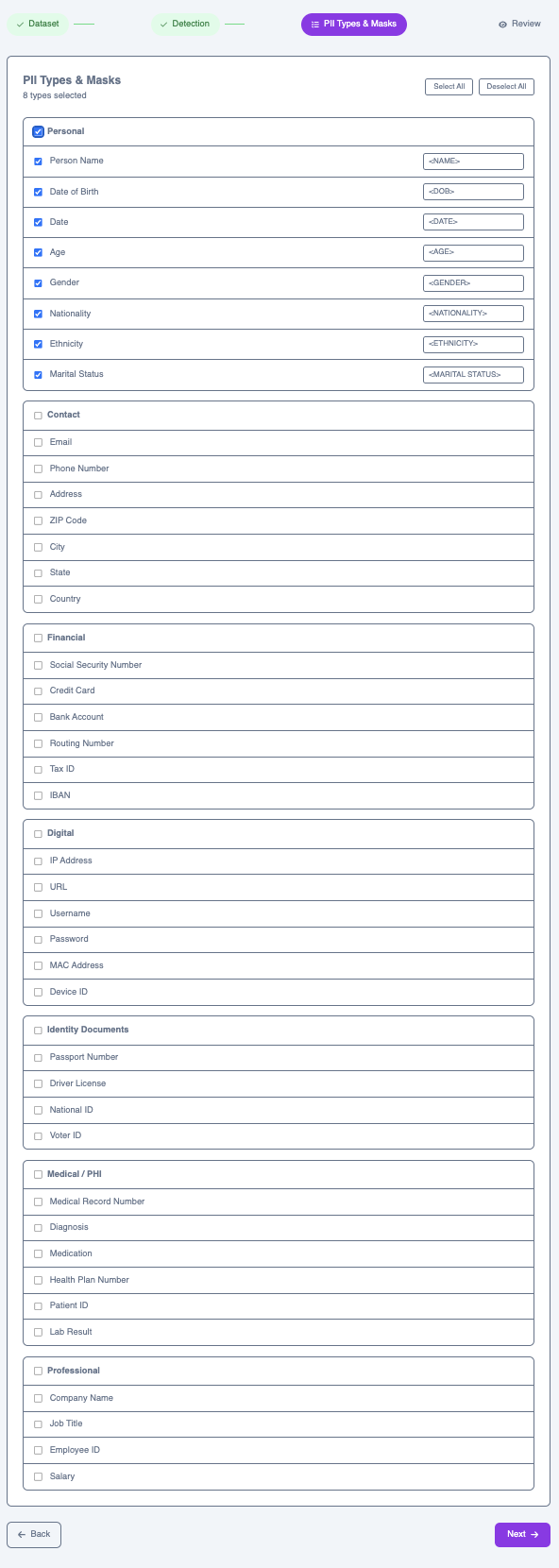
Personal
Personal
First Name, Last Name, Date of Birth, Date, Age, Gender, Nationality, Race / Ethnicity, Marital Status
Contact
Contact
Email, Phone Number, Street Address, Postal / ZIP Code, City, State, Country
Financial
Financial
Social Security Number, Credit / Debit Card, Bank Routing Number, Routing Number, Tax ID, IBAN
Digital
Digital
IP Address, URL, Username, Password, MAC Address, Device Identifier
Identity Documents
Identity Documents
Passport Number, License / Certificate Number, National ID, Voter ID
Medical / PHI
Medical / PHI
Medical Record Number, Diagnosis, Medication, Health Plan Number, Patient ID, Lab Result
Professional
Professional
Company Name, Occupation, Employee ID, Salary
first_name → <FIRST NAME> or date_of_birth → <DOB>. You can customize the mask token for each type.
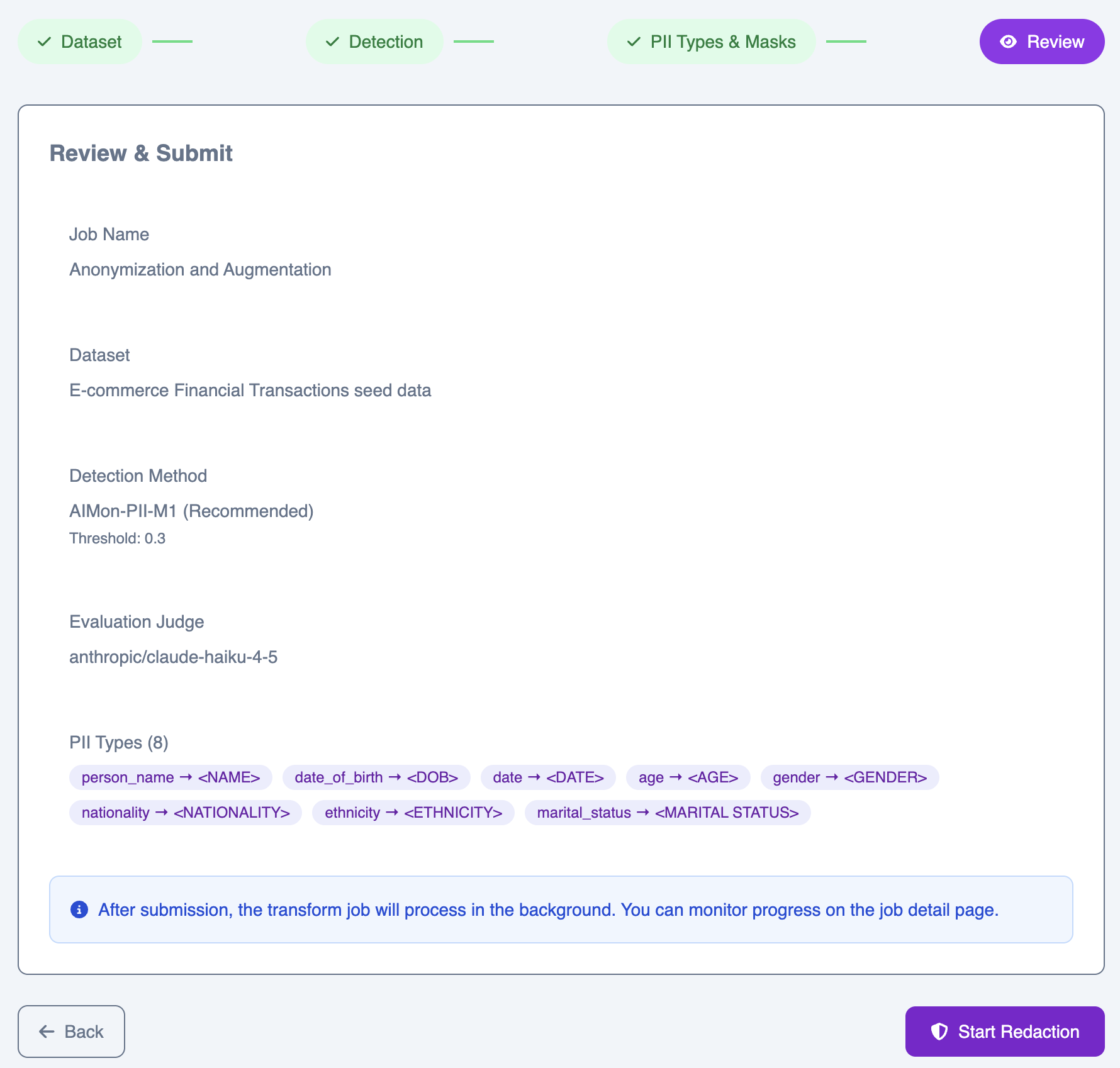
Step 4: Review & submit
Review your full configuration before submitting. The summary shows your full configuration—dataset, detection method, threshold, evaluation model, and all selected entity types with their mask tokens.